


The Press-Enterprise
2.8215.00 Reviews
App Specs
- Version
- 10.0.60
- Updated On
- License
- Free
- Downloads
- 10,000+
- Developer
- MediaNews Group, Inc.
- Categories
- News & Magazines
- Platform
- Android
Screenshots


 Analysis by AppCompare
I found The Press-Enterprise most useful when I treated it as a shared local-news window rather than a complete replacement for every news source in the house. Published by MediaNews Group, Inc., this free News & Magazines app focuses on Inland Southern California, so its value depends heavily on whether that area is part of your daily life. If you live there, work there, commute through it, or have relatives who do, the local focus can make it more relevant than a broad national news app.
My first impression was straightforward: this is an app for keeping up with regional information, not for building a personalized feed around every subject imaginable. That distinction matters. I would recommend it to someone who wants local reporting close at hand, especially on a phone used by several people in a household. I would be more cautious about recommending it to someone who only wants national headlines, international coverage, or a completely free reading experience without any possible upgrade prompts.
How it works in a shared household
A realistic use case is a family or household where everyone follows the same area for different reasons. One person may check local developments before leaving for work, another may look for community information during the day, and someone else may open the app in the evening to understand what happened nearby. The same installation can serve those moments without requiring a separate local-news workflow for each person.
That shared-device convenience has a limit, though. I would not assume that one person’s reading habits, saved items, or account activity should automatically represent everyone else’s interests. News is personal, and a household can easily mix practical local information with topics that only matter to one reader. If several people use the same phone or tablet, agreeing on who is signed in and who is simply browsing is a sensible first step.
The app’s regional focus is its clearest strength in this situation. A national news application may give you a larger stream, but it can bury nearby developments under stories from places that have no effect on your household. Here, the geographic emphasis gives the app a more practical role: it can sit alongside broader sources and handle the local part of the routine.
I also like the idea of using it as a conversation starter at home. Instead of forwarding random headlines from several platforms, one person can point to a local story and explain why it matters to the family. That does not make the app a household management tool, but it can reduce the effort involved in staying aware of the same community.
Setting up sensible boundaries
Because the app is free to install, trying it is relatively easy. It is available for users of Android 8.0 or later, and its age classification is Everyone, which makes it broadly suitable for a general household device. That label should not be confused with a promise that every article will be comfortable for every reader. News can naturally involve difficult events, public safety, conflict, or other serious subjects even when an app is intended for a general audience.
Worth Reading Before You Choose

EA SPORTS FC Mobile 26 Is a Bigger Football Game, but It Takes Time

Flipboard Shows What News Apps Must Do Beyond the Feed

Switching to Android Auto Means Rethinking Your Driving Routine

Google Calendar Makes a Crowded Week Easier to Manage

Ludo King Makes the Most of the Minutes Between Plans

Baby Panda World Brings Quick Play to Modern Phones, but Its Game Library Feels Busy
Before handing the device to children or guests, I would explain the difference between opening an article and taking an action inside the app. The application includes in-app purchases ranging from around fifteen dollars to around one hundred seventy-five dollars per item. I would therefore keep the purchasing responsibility with the adult who manages the device or account, rather than letting a child explore upgrade screens without supervision.
This is one of the less obvious practical points about a free news app: “free” describes the download, not necessarily every reading path or account option you may encounter. I would begin by browsing the available coverage and only then decide whether any paid option fits the household. There is no reason to make that decision during the first few minutes of use.
For a shared tablet, I would also establish a simple routine. One person can check the local news in the morning, while another can use it later for a second look. If the device is passed around constantly, leaving the app open may expose the next user to a story that was intended for someone else. Closing the article or returning to a neutral screen is a small habit, but it avoids confusion and respects the boundaries of shared use.
The best setup is not the most complicated one; it is the one that makes account ownership and purchasing responsibility obvious. That advice is especially important when a free app offers optional paid items and the device is used by more than one person.
Coordinating local information without creating noise
I found the app easier to evaluate when I gave it a specific job. Rather than opening it repeatedly with no purpose, I would use it during a planned check-in: before a commute, during a lunch break, or in the evening when the household compares notes about the day. This prevents local news from becoming another endless stream competing for attention.
For a couple or family, a useful approach is to divide attention by relevance rather than by account. One person might look for stories connected to the immediate community, while another checks broader sources for state, national, or international context. The Press-Enterprise can handle the first task, but it should not be expected to replace the second. This division makes the app more valuable because it plays to its regional purpose instead of being judged as an all-in-one news service.
There is also a practical coordination benefit when relatives live in different parts of Inland Southern California. A local story may matter to one household member because of work, school, travel, or family connections, even if it seems less important to everyone else. Sharing the article manually can be more useful than asking everyone to follow the same subjects. It lets the reader who needs the information bring it into the conversation without forcing the entire household to adopt identical habits.
My tip is to avoid treating the app’s presence on a shared device as proof that everyone has seen the same news. Reading is still individual. One person may skim a headline, another may open the full article, and a third may not use the app at all. If a story affects a household decision, discuss the relevant details directly instead of assuming that an unread notification or an app icon has communicated them.
This is also where the app differs from social feeds. Social platforms are good at showing what is attracting attention, but they can mix commentary, reposts, and unrelated material. A local newspaper app offers a more deliberate starting point for regional information. The trade-off is that it may feel less entertaining or immediately personalized than a feed designed around rapid scrolling.
Age, trust, and reading habits
The Everyone age classification is reassuring for households looking for a generally accessible news application, but I would still guide younger readers. The issue is not simply whether a child can open the app. It is whether they can understand context, distinguish reporting from opinion, and recognize that a dramatic headline may describe a developing situation rather than a final conclusion.
With older children or teenagers, I would use the app as a way to discuss local media literacy. Ask what information the headline gives, what it leaves unanswered, and whether another source is needed before making a decision. That approach is more useful than presenting any single app as the only authority. The Press-Enterprise can be part of a trustworthy routine, but responsible reading still requires attention from the person using it.
For adults sharing a device, trust has a different meaning. It concerns privacy, account separation, and purchase awareness rather than reading ability. I would avoid casually switching between household members’ accounts, particularly if one person is considering paid access. Keeping those boundaries clear prevents an ordinary news session from becoming an unexpected account or billing problem.
The developer, MediaNews Group, Inc., gives the app a recognizable newspaper-publishing context, which is different from using a generic headline aggregator. That does not mean every reader will agree with every story choice or presentation decision. It does mean I approach the app as a regional publication experience rather than as a neutral list of links from everywhere.
Its current version is 10.0.60, so users who already have it installed should pay attention to whether their device supports the release and whether the app behaves as expected after updating. I would not judge the entire experience from one brief opening, especially with a news app where the usefulness changes according to the day’s local coverage and the reader’s needs.
Where it fits beside other news choices
Compared with a national newspaper app, The Press-Enterprise is narrower and more geographically focused. That is a weakness if you want one place for world affairs, financial markets, technology, sports from many regions, and local reporting all at once. It is an advantage if broad apps repeatedly make you search for information about Inland Southern California.
Compared with a general news aggregator, it should feel more intentional. Aggregators are convenient when you want many publishers in one stream, but the volume can make it difficult to know which local stories deserve attention. This app is a better match for readers who prefer a regional publication’s selection over a constantly changing mixture of sources.
Compared with visiting a newspaper website in a mobile browser, a dedicated app can make regular checking feel more direct. The browser remains the better choice for someone who dislikes installing apps, wants to keep every source in one place, or uses several devices without wanting another app-based routine. I would choose the app when local news is part of my daily habit, and the browser when I only need occasional access.
The average rating is around 2.8 from over 500 ratings, with more than 200 written reviews. I read that as a reason to keep expectations realistic rather than as an automatic rejection. A rating like this suggests that the experience may not satisfy everyone, so I would test the navigation, article access, and any account prompts on my own device before making it central to the household’s news routine.
Who should use it and who should skip it
I think this app is best for Inland Southern California residents, commuters, families with local ties, and readers who want a regional source beside their broader news choices. It is also a reasonable option for someone who has moved away but still wants a connection to the area. The free download lowers the barrier to trying it, while the Everyone classification makes it suitable for a wide range of general users with sensible adult supervision.
I would skip it if your main goal is a worldwide news dashboard, a highly customized topic feed, or a service that avoids all optional paid paths. I would also look elsewhere if you need a household system with detailed profiles, child-specific controls, or formal coordination tools. Nothing about a local news app should be assumed to provide those functions simply because several people can install it on the same device.
Another reason to skip it is a lack of local relevance. If you never read news from Inland Southern California, the app’s strongest feature becomes a limitation. A broader publication or aggregator would make better use of your attention. Choosing a specialized local app only makes sense when its geographic focus matches your life.
My household verdict
After using it as a regional news companion, I see The Press-Enterprise as a focused tool with a clear place in a shared home. It works best when one household member manages the account and purchase boundary, everyone understands that the app is for local information, and broader sources fill in the national and international picture.
I would install it for a household connected to Inland Southern California and give it a defined role in the daily routine. I would not present it as the only source of truth or as a complete family information hub. Its free entry point is appealing, but the in-app purchase range means adults should remain attentive to account activity and upgrade decisions.
My final recommendation is therefore conditional but positive: choose it for focused local awareness, not for limitless news coverage. When that distinction is clear, the app can make regional reporting easier to reach and easier to discuss. When the household needs extensive personalization, strict profile separation, or a single service covering every subject and location, a broader alternative will be the better fit.
Pros
- Covers local Riverside County news and community events in detail.
- Includes breaking updates on crime
- politics
- education
- and local issues.
- Offers sports coverage focused on area teams and high school athletics.
- Digital articles are easy to browse on phones and tablets.
- Useful source for residents seeking regional news beyond national headlines.
Cons
- Some articles may require a subscription or have limited free access.
- Coverage is primarily regional
- so it may feel narrow for broader news needs.
- Certain stories can contain frequent advertisements or promotional elements.
- App performance and article loading may depend on your internet connection.
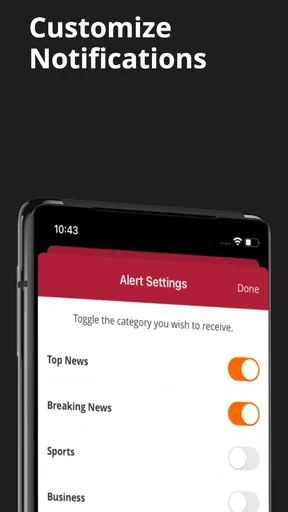
- Push notifications may become frequent if many news categories are enabled.
FAQs for The Press-Enterprise
What is The Press-Enterprise app?
The Press-Enterprise app is a mobile news platform focused primarily on Riverside County and the Inland Empire in California. After exploring it, I found that it brings together local reporting, breaking news, politics, public safety, sports, business, entertainment, and community coverage in one place. It is designed for readers who want quick access to regional journalism while away from the newspaper’s website.
Is The Press-Enterprise app free to download and use?
The app can generally be downloaded free of charge, allowing users to browse selected news content and explore the available sections. However, access to every article or premium feature may depend on the publication’s subscription requirements, which can change over time. Before downloading, it is worth checking the current App Store or Google Play listing and reviewing the subscription terms, renewal details, and any introductory pricing.
What type of news and content can I find in the app?
The Press-Enterprise app concentrates on news relevant to Riverside, San Bernardino-area communities, and the wider Inland Empire, depending on the publication’s current coverage. Content may include local government, crime and public safety, schools, transportation, sports, business, opinion, entertainment, and major regional developments. Its strongest appeal is for readers who prioritize nearby events and community reporting over general national headlines.
Does The Press-Enterprise app require an account or subscription?
Some parts of the app may be available without signing in, but an account can be necessary for managing a digital subscription, accessing subscriber-only stories, saving preferences, or using additional features. If the app displays a paywall, users may need to subscribe through the publisher or sign in with an existing subscription. Carefully review which benefits are included before starting a paid plan.
Is The Press-Enterprise app worth downloading?
The app is worth considering if you live in Riverside County or the surrounding Inland Empire and want convenient access to local journalism, breaking updates, and regional sports or community stories. Its value depends largely on how often you read local news and whether the available subscription options fit your budget. Occasional readers may find the free content useful, while frequent readers may benefit more from full digital access.


